

Applying for a Bahrain visa online is a straightforward process that can be completed entirely from your computer or smartphone. The Kingdom of Bahrain’s official eVisa system allows eligible travelers to submit applications, upload documents, and receive approved visas electronically – without visiting an embassy or consulate. This guide walks you through every step, from checking eligibility to receiving your approved visa.
What Is the Bahrain Online Visa Application?
The Bahrain eVisa is an electronic travel authorization issued by the Nationality, Passports & Residence Affairs (NPRA) department. Instead of applying in person at a diplomatic mission, eligible nationalities can complete the entire process through the official government portal at evisa.gov.bh.
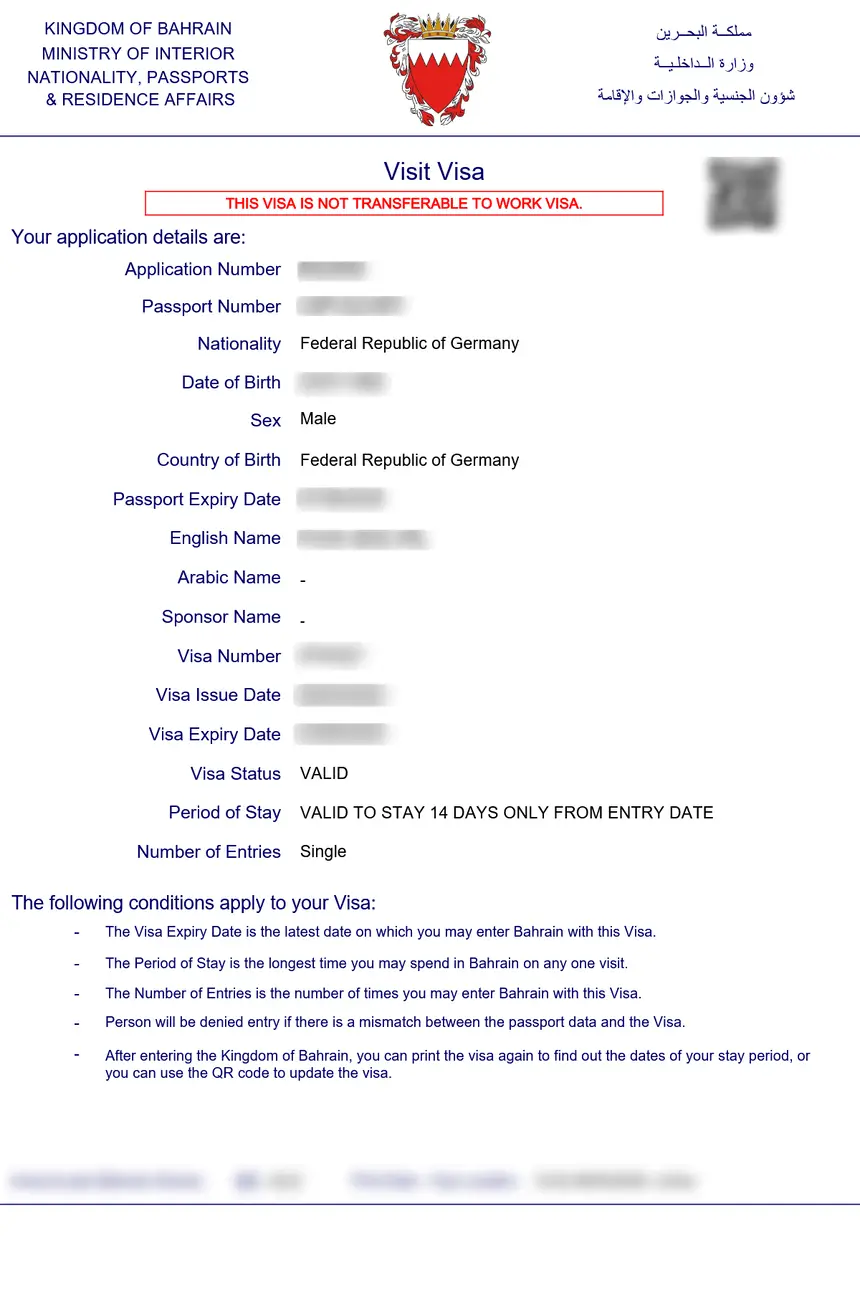
Once approved, the eVisa is linked to your passport electronically. You will receive a confirmation by email, which you should print or save on your device for presentation at the port of entry.
Before you begin, make sure you understand the different Bahrain visa types available, as the application steps and required documents may vary depending on whether you are applying for a tourist visa, business visa, or another category.
Step 1: Check Your Eligibility
Before starting your application, confirm that your nationality qualifies for the Bahrain eVisa. Bahrain grants electronic visa eligibility to citizens of over 200 countries, though the specific visa type, duration, and number of entries differ by nationality.
To check eligibility:
- Visit the official Bahrain eVisa portal at evisa.gov.bh
- Click on “Apply for Visa” on the homepage
- Select your nationality from the dropdown menu on the eligibility page
- The system will display the visa types available to you, along with their conditions
If your nationality is not listed for online application, you may need to apply through a Bahraini embassy or consulate in your country. For a full breakdown of documentation needed regardless of application method, see our Bahrain visa requirements guide.
Step 2: Gather Required Documents
Having your documents ready before starting the application will save time and prevent errors. The standard documents required for a Bahrain eVisa application include:
- Valid passport – must be valid for at least six months from your intended date of entry into Bahrain
- Passport-size photograph – a recent, clear, color photo with a white background
- Return or onward flight ticket – proof of your travel itinerary
- Hotel reservation or accommodation proof – confirmed booking for your stay in Bahrain
- Financial proof – bank statements or other evidence showing sufficient funds for your trip
- Medical insurance – a valid health insurance certificate covering your stay in Bahrain
Additional documents may be required depending on the visa type. For example, business visa applicants may need an invitation letter from a Bahraini company, while work visa applicants require a employment contract. Always check the specific requirements for your selected visa category.
Step 3: Create an Account and Fill the Application Form
Once you have confirmed eligibility and gathered your documents, follow these steps to complete the online application:
3a. Access the Application Form
- Go to evisa.gov.bh
- Accept the disclaimer terms by clicking “Yes, I accept”
- Click “Apply for Visa” from the main menu
- Complete the eligibility page by selecting your nationality and travel purpose
- Click “Next” to view available visa types
- Select your preferred visa type and click “Apply now”
3b. Complete the Application Form
The online form requires the following information:
- Personal details – full name (as it appears on your passport), date of birth, gender, nationality, and marital status
- Passport information – passport number, issue date, expiry date, and issuing country
- Contact details – email address, phone number, and residential address
- Travel details – intended date of entry, port of entry, flight number (if known), and accommodation address in Bahrain
- Employment information – current occupation, employer name, and employer address
- Security questions – questions regarding previous travel history, criminal record, and prior visa refusals
Important: Ensure all information matches your passport exactly. Any discrepancy between your application and passport details can result in delays or rejection.
Step 4: Upload Supporting Documents
After completing the form, you will be prompted to upload your supporting documents. Follow these guidelines for successful uploads:
- Scan or photograph documents clearly – all text must be legible
- Accepted file formats typically include JPEG, PNG, and PDF
- Each file should not exceed the maximum size limit specified on the upload page
- Ensure your passport scan includes the photo page and any amendment pages
- Upload all required documents before proceeding – incomplete submissions may be rejected
Step 5: Pay the Visa Fee
Once your documents are uploaded, proceed to payment. The Bahrain eVisa application requires online payment via credit or debit card through a secure payment gateway.
Key points about payment:
- Payment is made during the initial application submission
- Accepted cards typically include Visa, MasterCard, and other major credit cards
- The fee varies depending on the visa type and duration – see our detailed Bahrain visa fee breakdown for exact costs
- Payment does not guarantee approval – the processing fee is non-refundable even if your application is denied
- If you are submitting multiple applications, you can use the same credit card by clicking “Submit another application” after each submission
After successful payment, you will receive an Application Reference Number. Save this number – you will need it to check your application status.
Step 6: Wait for Processing and Track Your Application
After submission, your application enters the NPRA processing queue. Standard processing times are:
- Standard processing: 3 to 5 working days
- Express processing (where available): 1 to 2 working days
To check your application status:
- Visit evisa.gov.bh
- Click “Check Application Status” from the main menu
- Enter your Application Reference Number and passport number
- View the current status of your application
You will also receive email notifications at each stage of the process, including when a decision has been made.
Step 7: Receive and Print Your eVisa
Once your application is approved:
- You will receive a notification email with your eVisa details
- Log in to the eVisa portal and navigate to “Pay for Application” if a second payment is required (for certain visa types)
- Download and print your eVisa confirmation
- Carry the printed copy along with your passport when traveling
If your application is not approved, you will receive an email instructing you to contact NPRA directly. The processing fee is not refunded in case of rejection.
Step 8: Arrive in Bahrain
When you arrive in Bahrain:
- Proceed to the immigration counter at the airport or land border crossing
- Present your passport and printed eVisa confirmation
- The immigration officer will verify your eVisa against your passport
- You may be asked to show your return ticket, hotel booking, and proof of funds
Remember: Holding an eVisa does not guarantee entry. You must meet all entry conditions at the point of arrival, including having a valid passport, sufficient funds, and a clear immigration history.
Tips for a Successful Bahrain eVisa Application
- Apply early – submit your application at least two weeks before your intended travel date to allow for processing delays
- Double-check all entries – errors in your application can cause rejection or delays
- Use a valid email address – all correspondence, including your approved visa, is sent by email
- Keep your reference number safe – you need it to track your application and retrieve your visa
- Check passport validity – your passport must be valid for at least six months beyond your entry date
- Ensure document quality – blurry scans or incomplete documents are a common reason for rejection
Frequently Asked Questions
How long does it take to get a Bahrain eVisa?
Standard processing takes 3 to 5 working days. Some visa types may offer faster processing. It is recommended to apply at least two weeks before your travel date.
Can I apply for a Bahrain visa on my phone?
Yes. The official eVisa portal at evisa.gov.bh is accessible from mobile browsers. You can complete the entire application, upload documents, and make payments from your smartphone or tablet.
What happens if my Bahrain eVisa application is rejected?
If your application is denied, you will receive an email notification. The processing fee is non-refundable. You may contact NPRA for further guidance or reapply with corrected information.
Do I need to print my Bahrain eVisa?
Yes. While the eVisa is electronically linked to your passport, it is strongly recommended to carry a printed copy of the confirmation for presentation at immigration.
Can I extend my Bahrain eVisa?
Certain eVisa types can be extended for an additional two weeks. Extensions must be requested through the Bahrain.bh portal before your current visa expires. Overstaying without an extension results in fines and potential future visa bans.
Is the Bahrain eVisa a single-entry or multiple-entry visa?
This depends on the visa type you select during application. Tourist eVisas are typically single-entry, while business and other categories may offer multiple-entry options. Check the specific conditions when selecting your visa type.